
Tips for Creating a Cozy and Productive Home Office Space
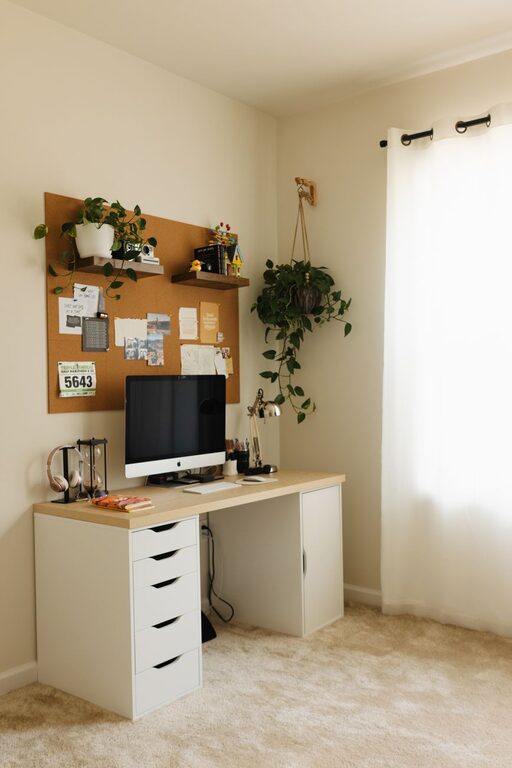
Creating a home office that feels both cozy and productive can significantly improve your work-from-home experience. Whether you’re a freelancer, remote employee, or simply need a quiet spot to focus, designing the right space is key. This guide will walk you through practical tips to make your home office inviting and efficient.
Choose the Right Location
Find a Quiet Spot
Pick a space in your home where distractions are minimal. A corner of a bedroom, a spare room, or even a small nook can work well. The quieter the area, the easier it will be to focus.
Consider Natural Light
Natural light boosts mood and energy levels. Position your desk near a window if possible. If natural light is limited, invest in good-quality artificial lighting that mimics daylight.
Invest in Comfortable Furniture
Select an Ergonomic Chair
A comfortable chair that supports your back helps prevent fatigue and discomfort, especially during long work hours. Look for adjustable features like height, lumbar support, and armrests.
Choose a Suitable Desk
Your desk should be large enough to fit your computer, notebooks, and any other essentials without feeling cluttered. Standing desks or adjustable desks are great options for alternating between sitting and standing.
Organize for Efficiency
Keep Supplies Within Reach
Use desk organizers, drawers, or shelves to keep pens, paper, and gadgets within easy reach. A tidy workspace reduces distractions and helps you stay focused.
Minimize Clutter
Regularly declutter your space. Only keep items that you use daily on your desk. This creates a clean environment that encourages concentration.
Personalize Your Space
Add Cozy Elements
Incorporate items that make you feel comfortable, such as a soft rug, cozy blankets, or cushions. Plants not only add life but also improve air quality and reduce stress.
Display Inspiring Decor
Post motivational quotes, artwork, or photos that bring positivity to your workday without overwhelming the space.
Optimize Lighting
Layer Your Lighting
Combine overhead lighting with task lighting, such as desk lamps or floor lamps. Adjustable lighting helps reduce eye strain and creates a pleasant atmosphere.
Avoid Glare
Position your monitor to avoid glare from windows or lights. Use curtains or blinds to control the amount of daylight entering the room.
Establish Boundaries
Set Work Hours
Creating a schedule helps separate work time from personal time. Communicating these boundaries to family or housemates reduces interruptions.
Designate a “Work Only” Zone
Limit usage of your home office space for work activities. This helps your brain associate the area with productivity, making it easier to focus.
Use Technology Wisely
Choose the Right Equipment
Invest in reliable technology, including a fast internet connection, a good quality webcam, and headphones for meetings or calls.
Keep Cables Managed
Use cable organizers or clips to keep cords neat and out of the way, reducing clutter and potential hazards.
Incorporate Break Spaces
Create a Relaxation Corner
If space allows, add a comfortable chair or small sofa near your workspace. Taking short breaks in a relaxing spot can improve focus and reduce burnout.
Use Aromatherapy
Consider a diffuser with calming essential oils like lavender or eucalyptus to create a soothing environment.
Maintain Regular Cleaning
Wipe Down Surfaces
Regularly clean your desk, keyboard, and other surfaces to keep your workspace hygienic and inviting.
Refresh the Air
Open windows periodically or use an air purifier to maintain fresh air circulation.
Final Thoughts
Designing a home office that is both cozy and productive requires a balance of comfort, organization, and functionality. By choosing the right location, investing in ergonomic furniture, personalizing your space, and setting clear boundaries, you can create an environment that supports your work and well-being. Remember, the best workspace is one tailored to your needs and preferences, so don’t hesitate to experiment until you find what works best for you.